THE VEDAR WORKSPACE
See how the investigation comes together.
Explore the tools in the real application, illustrated with demonstration data. Suggestions remain provisional until verified through testing.
01 / YOUR DIAGNOSTIC TOOLKIT
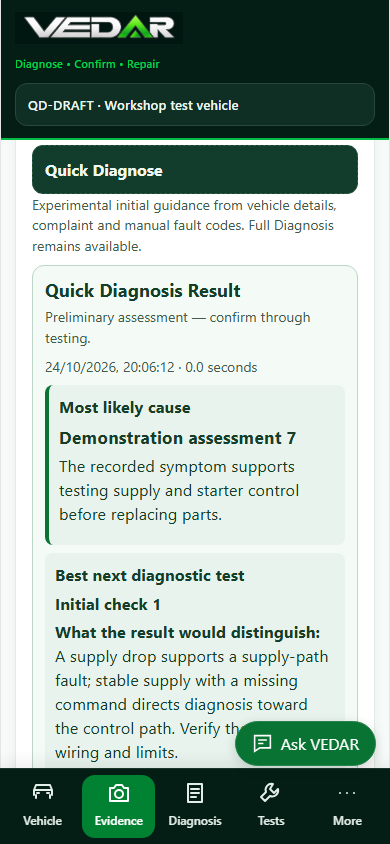
Quick Diagnosis
Private pilotStart with the vehicle, complaint and manual fault codes. See a provisional likely cause, its reasoning and a useful next test.
A focused starting point, not a confirmed fault. Quick Diagnosis is currently restricted to a private pilot account; wider availability is subject to review.
Open full-size preview
02 / YOUR DIAGNOSTIC TOOLKIT
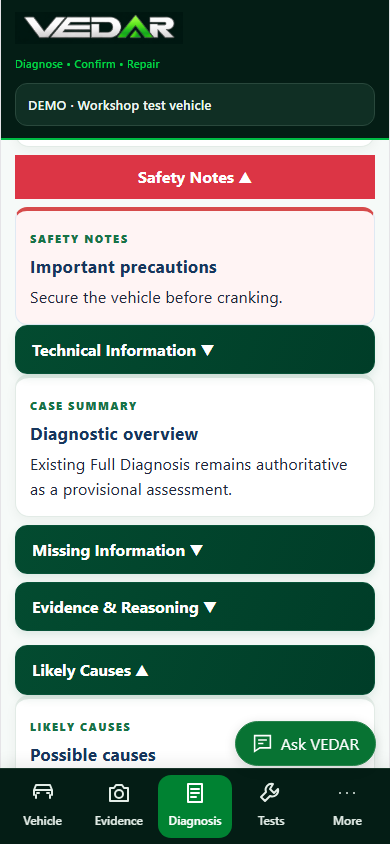
Full AI Diagnosis
Bring fault codes, freeze-frame data, live readings, completed tests and uploaded evidence into a comprehensive investigation.
Review likely causes and recommended checks, then record findings and continue the investigation. Conclusions still need to be verified on the vehicle.
Open full-size preview
03 / YOUR DIAGNOSTIC TOOLKIT
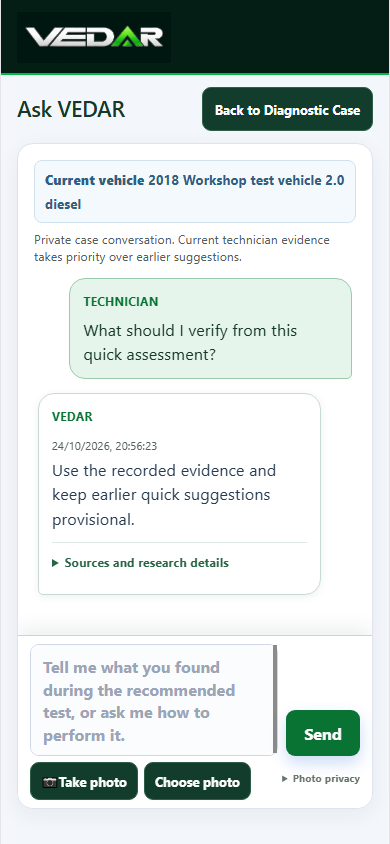
Ask VEDAR
Discuss a test result, explore a reading or ask for help with the next step while keeping the investigation in context.
Keep relevant questions and answers with the case. Ask VEDAR supports workshop reasoning; check specifications and wiring against the correct vehicle information.
Open full-size preview
04 / YOUR DIAGNOSTIC TOOLKIT
Test guides & diagrams
Use practical test guides and interactive system diagrams to plan and understand workshop checks.
Guides include safety precautions and measurement procedures. Illustrations are explanatory and are not a substitute for manufacturer-specific wiring diagrams or terminal information.
These are previews of the existing app. Diagram controls and guide workflows operate inside VEDAR.
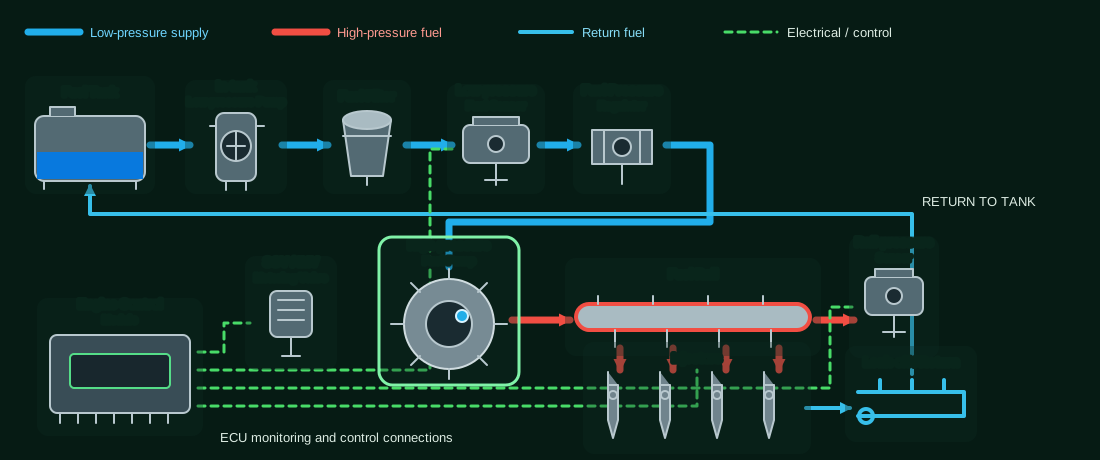
Open full-size diagram · See the app controls
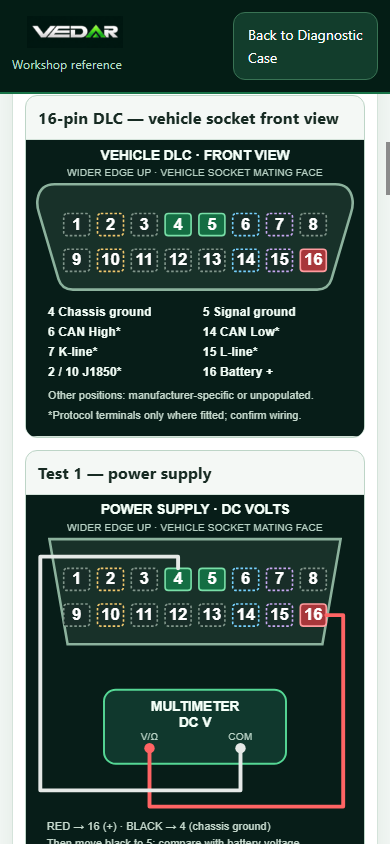
Open full-size preview
05 / YOUR DIAGNOSTIC TOOLKIT
Saved investigations
Return to saved vehicle details, evidence notes, recorded tests and diagnostic discussions as the investigation develops.
Use Save Investigation to keep the case. Original uploaded files may remain on the device where they were added; saving case text is not a backup of those originals.
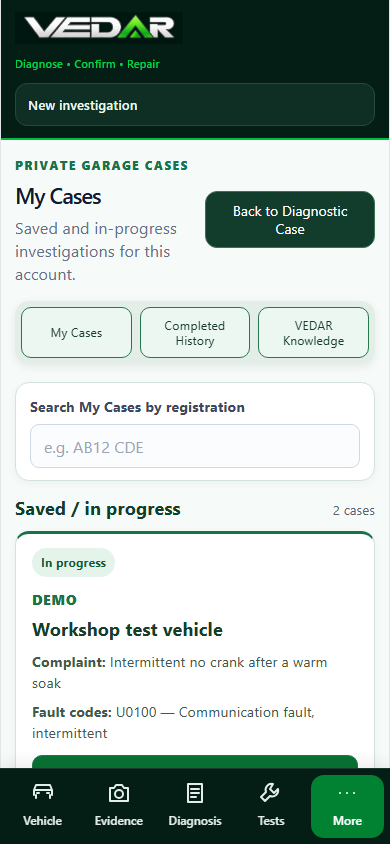
Open full-size preview
06 / YOUR DIAGNOSTIC TOOLKIT
Customer reports
Turn the investigation into a clear explanation of the checks, findings and recommended next action.
Review and edit the report before printing or saving as PDF. Only describe work and findings that you can support with evidence.
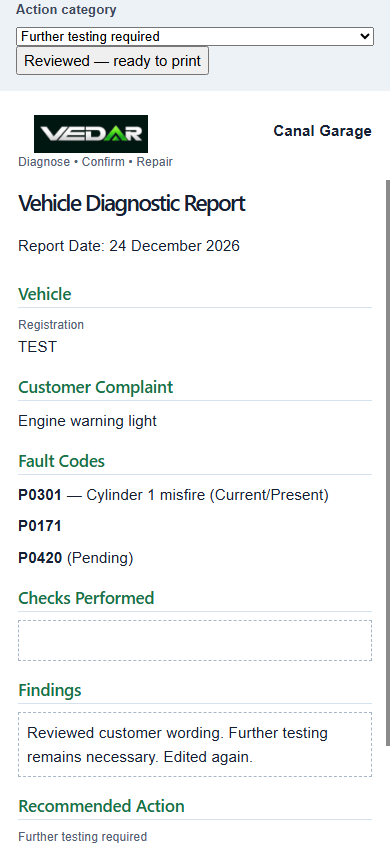
Open full-size preview
Use the right workflow.
Quick Diagnosis offers an initial direction. Full Diagnosis remains the comprehensive workflow. Ask VEDAR supports the continuing investigation; it does not replace either assessment or practical verification.
Keep a reliable record.
Save investigations deliberately. Device sleep or a lost connection can interrupt an unfinished request. Recovery support cannot guarantee delivery of an AI response after the browser or operating system stops it.
Continue your investigation.
Existing customers can sign in to the working diagnostic application.
Open VEDAR